
Zgro SystemsWhatsApp

← Everything it does

Table reservations and bookings

Guests book through your own link. Tables are assigned for you and confirmations and reminders go out on WhatsApp.

Step 1 of 2

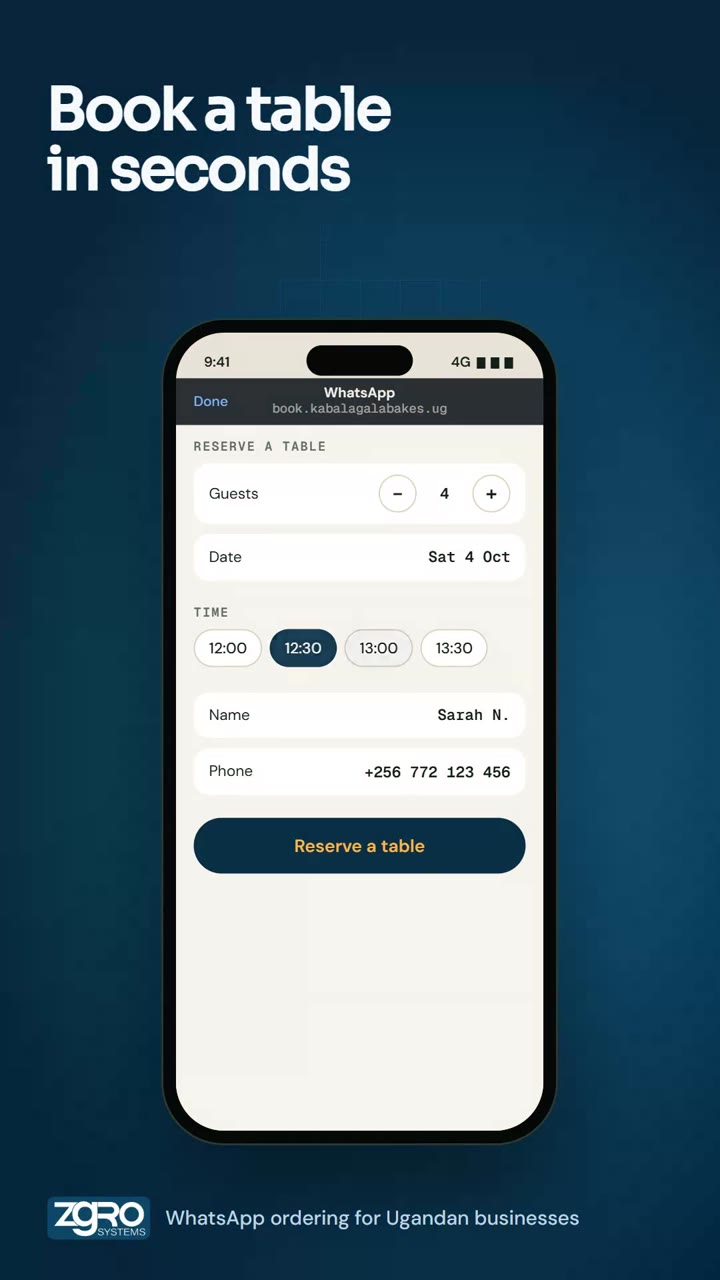
Guests book a table

Choose guests, date and time, enter a name and number, done. Try it in the phone.

Example screens: names, items, prices and numbers are examples.

9:414G ▮▮▮
WhatsAppbook.kabalagalabakes.ug

RESERVE A TABLE

Guests2
DateSat 4 Oct

TIME

NameSarah N.
Phone+256 772 123 456

Table booked

Table for 2 · Sat 4 Oct · 12:30. We assigned table T3, the next free one that seats 2. A confirmation is on its way on WhatsApp.
Everything included

Booking made easy

  • Your own booking link: guests, date, time, name and phone
  • No fee per guest
  • Online and staff-entered bookings in one list, with the source shown

No double-booking

  • The next free table that fits the party is assigned automatically
  • Staff can change the table
  • Arrange the floor plan to match your room

On WhatsApp

  • A confirmation right after booking
  • A reminder 24 hours before the visit
  • Booking alerts for your team

Every day, under control

  • Reserved, checked in and completed statuses
  • Add a reservation by hand for phone and walk-in bookings
  • Booking calendars for salons and other services, and stay or rental bookings
  • Take a deposit to hold a booking

Watch it

Table reservations on WhatsApp
Try the full ordering demo

More that it does

OrderingPaymentsDeliveryDine-in QRPoint of saleAutomationRun and grow